
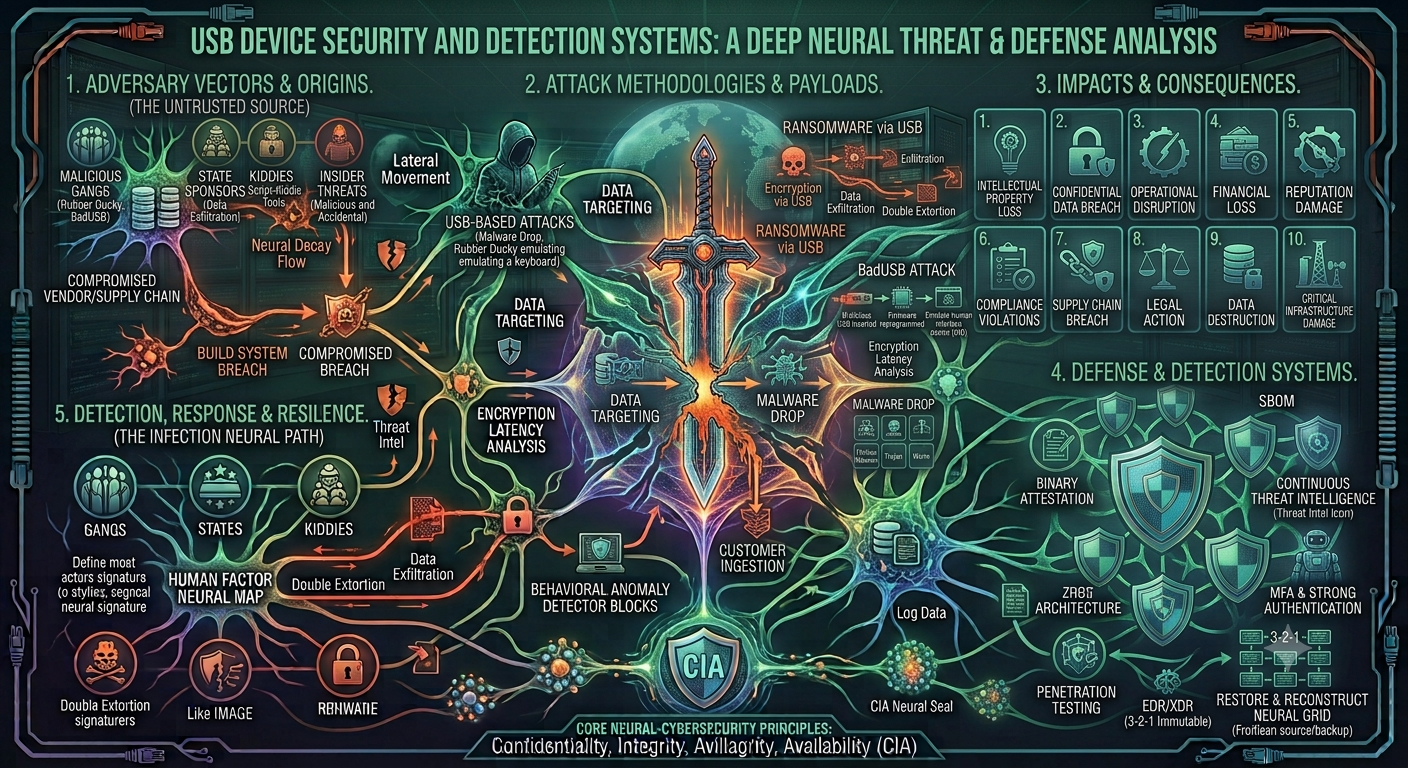
USB Device Security and Detection Systems
USB Device Security and Detection Systems
Introduction
USB devices have become a normal part of our daily computer use. We use USB flash drives, external hard drives, mobile phones, keyboards, mice, and other USB devices to transfer data and connect different devices. USB technology is fast, easy to use, and convenient. However, it can also create serious security problems if it is not properly controlled.
A USB device can carry important files, personal information, or even harmful software. If someone connects an unknown or infected USB drive to a computer, it may put the whole system at risk. Because of this, USB Device Security and Detection Systems are becoming increasingly important in schools, offices, banks, companies, and other organizations.
A USB Device Security and Detection System is designed to monitor USB connections, identify connected devices, and alert the user or administrator when an unknown or unauthorized device is detected.
What Is USB Device Security?
USB device security means protecting a computer or network from possible threats caused by USB devices. The main purpose is to control which USB devices can be connected and what they are allowed to do.
For example, an organization may allow employees to use company-owned USB drives but block unknown storage devices. This reduces the possibility of sensitive information being copied or malware being introduced into the computer.
USB security is not only about blocking devices. It can also involve monitoring, logging, scanning, and generating alerts when suspicious activity occurs.
Why USB Security Is Important
USB devices are small and easy to carry. This makes them useful, but it also makes them difficult to control. A person can easily bring a USB drive from outside and connect it to a computer without anyone noticing.
One major risk is malware. An infected USB device can contain viruses, worms, spyware, ransomware, or other harmful programs. When the device is connected, malicious files may be opened or executed.
Another important problem is data theft. An employee or unauthorized person could copy confidential documents from a computer to a USB drive. This can cause financial loss and damage an organization’s reputation.
There is also the risk of using unknown USB devices. A device may look like an ordinary flash drive but could have a different purpose. Therefore, organizations need a system that can detect and control USB devices before they become a security problem.
How a USB Detection System Works
A USB detection system continuously monitors the computer for newly connected USB devices. When a device is plugged in, the operating system usually provides information about it, such as its device name, manufacturer, type, and unique identification details.
The security system can collect this information and compare it with a list of approved devices.
For example, if a company has three authorized USB drives, their details can be stored in an approved-device list. If another USB drive is connected, the system can recognize that it is not on the list and generate an alert.
A basic system can follow these steps:
- Detect a newly connected USB device.
- Collect information about the device.
- Check whether the device is authorized.
- Allow or block the device according to the security policy.
- Record the event in a log.
- Send an alert if the device is suspicious or unauthorized.
This process can happen within seconds.
Main Features of a USB Security System
A good USB Device Security and Detection System can include several useful features.
Device Detection:
The system detects when a USB device is connected or removed from the computer.
Device Identification:
It collects information such as device name, manufacturer, type, and unique identifiers.
Alert System:
If an unknown device is detected, the system can display a warning or send an alert to an administrator.
Device Blocking:
Unauthorized USB storage devices can be blocked to prevent access to the computer.
Activity Logging:
The system can record information about USB activity, including the date and time of connection and the device details.
Device Whitelisting:
Trusted devices can be added to a whitelist. These devices can be used without generating unnecessary warnings.
Device Blacklisting:
Known unwanted or restricted devices can be added to a blacklist and automatically blocked.
Benefits of USB Device Detection Systems
There are many benefits of using a USB security system. The first benefit is improved protection against malware. By controlling unknown USB devices, organizations can reduce the chance of infected devices entering their systems.
Another benefit is data protection. If USB storage is restricted, it becomes more difficult for unauthorized users to copy confidential information.
USB monitoring can also help administrators understand what is happening on their computers. Logs provide useful information about when devices were connected and which devices were used.
These systems are especially useful in organizations where many computers are connected to the same network. Instead of manually checking every computer, an administrator can use monitoring software to keep track of USB activity.
Challenges and Limitations
Although USB security systems are useful, they are not perfect. One challenge is that there are many different types of USB devices. A system needs to correctly identify devices without blocking legitimate equipment.
Another issue is user convenience. If security rules are too strict, employees may have difficulty using devices they actually need for their work.
False alerts can also become a problem. If the system generates warnings for every normal USB device, users may start ignoring the alerts. Therefore, the system should be configured carefully.
USB security should also be combined with other security measures. Blocking USB devices alone cannot protect a computer from every possible cyber threat.
Practical Example
Consider a college computer laboratory with 30 computers. Students frequently use USB drives to transfer assignments. Without any security system, a student could connect an infected USB drive to one computer, potentially spreading malware.
A USB Device Security and Detection System could monitor all 30 computers. When a student connects a USB drive, the system checks its information. If the device is approved, it can be used normally. If it is unknown, the system can block it and display a warning.
The administrator can also check the logs to see which devices were connected and when. This provides better control over the laboratory’s computers.
Future of USB Security
USB security is likely to become more advanced as cyber threats continue to develop. Future systems may use more intelligent methods to identify unusual device behavior and detect suspicious activity.
Organizations may also use stronger access controls, encryption, centralized monitoring, and automated security policies. Instead of simply asking whether a device is known or unknown, future systems may also consider how the device behaves.
However, technology alone is not enough. Users should also be educated about the risks of connecting unknown USB devices. A simple security rule such as “Do not connect an unknown USB drive” can prevent many problems.
Conclusion
USB devices are extremely useful, but they can also become a security weakness if they are not properly managed. Malware infections, unauthorized data copying, and unknown devices are some of the major risks associated with USB technology.
A USB Device Security and Detection System provides a practical way to monitor and control these devices. By detecting USB connections, identifying devices, generating alerts, blocking unauthorized hardware, and maintaining activity logs, such systems can improve computer security.
The best approach is to combine USB security with antivirus software, strong passwords, access control, regular updates, and user awareness. In today’s digital environment, controlling USB devices is a small but important part of protecting computers and valuable information.