

Top 15 Cybersecurity Threats
Top 15 Cybersecurity Threats Every Business Should Know
In an era where digital transformation is the norm, businesses face not only opportunities but also risks—especially those lurking in cyberspace. Cybersecurity threats are evolving, relentless, and can affect companies of every size. Whether you run a growing startup or manage a large corporation, understanding these threats is essential to keeping your business, customers, and reputation safe.
This definitive guide will walk you through the top 15 cybersecurity threats confronting businesses today, explain how they work, and offer practical advice to keep your organization secure.
1. Phishing Attacks
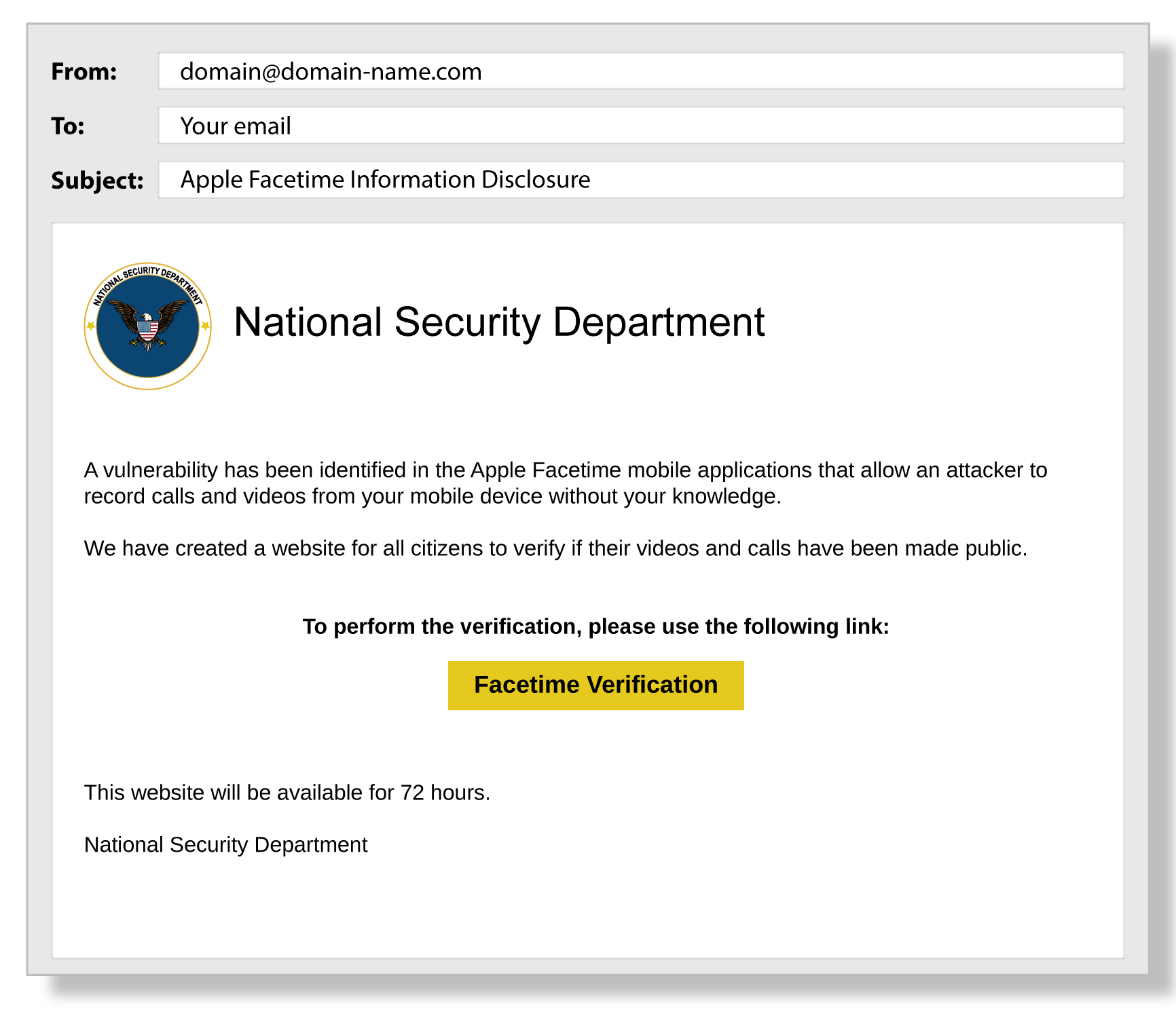
Phishing is the most widespread and persistent cyber threat. It typically arrives as a seemingly genuine email, text, or message that impersonates a trusted entity—like your bank, a partner, or even a colleague. The intent is to trick employees into revealing passwords, financial info, or clicking harmful links.
Why it’s dangerous: Phishing serves as the gateway for most other cyberattacks. A single click on a malicious link can open the door to malware, data breaches, or financial theft.
Real-world scenario: In 2024, a healthcare company lost millions after a phishing email disguised as a vendor invoice led to a major data breach.
How to protect your business:
- Conduct regular phishing awareness training.
- Implement email filtering and anti-phishing tools.
- Encourage employees to verify suspicious requests.
2. Ransomware
Ransomware is malicious software that encrypts your company’s files, demanding payment (usually in cryptocurrency) for the decryption key. This type of attack can cripple business operations and result in catastrophic financial loss.
Why it’s dangerous: Ransomware attacks can halt your operations for days or even weeks. Some businesses never recover.
Case in point: In 2023, a major city’s public services were held hostage by ransomware, forcing them to pay a hefty ransom just to regain access to their files.
How to defend your business:
- Regularly back up data and store backups offline.
- Patch software and operating systems promptly.
- Train employees to avoid risky downloads and attachments.
3. Insider Threats
Not all cybersecurity risks come from outside the organization. Insider threats involve employees, contractors, or trusted partners who intentionally or accidentally compromise your security. This could be due to negligence, lack of training, or malicious intent.
Why it’s dangerous: Insiders have privileged access, making them capable of inflicting significant harm—sometimes without being noticed until it’s too late.
How to minimize insider threats:
- Limit employee access to only what they need.
- Monitor activity on sensitive accounts.
- Foster a security-aware workplace culture.
4. Malware
Malware, short for malicious software, includes viruses, worms, trojans, spyware, and adware. It can infiltrate your network via email attachments, infected websites, or compromised devices, causing data loss, system outages, or even theft of sensitive info.
Why it’s dangerous: Malware can spread rapidly and stay hidden for months, causing extensive damage before detection.
How to prevent malware:
- Use robust antivirus and endpoint protection.
- Keep all systems updated.
- Block downloads from untrusted sources.
5. Denial-of-Service (DoS) and Distributed Denial-of-Service (DDoS) Attacks
DoS and DDoS attacks overwhelm your servers with traffic, making your website or services unavailable to real customers. DDoS attacks often use a botnet—a network of infected devices—to dramatically amplify their impact.
Why it’s dangerous: These attacks can cripple businesses, result in lost revenue, and damage your reputation.
How to protect your business:
- Invest in DDoS protection services.
- Monitor network traffic for anomalies.
- Have a response plan ready.
6. Man-in-the-Middle (MitM) Attacks
MitM attacks occur when an attacker secretly intercepts and possibly alters communication between two parties. These attacks often happen over unsecured Wi-Fi or through compromised routers.
Why it’s dangerous: Sensitive data—like login credentials and financial information—can be stolen without your knowledge.
How to defend against MitM attacks:
- Use encrypted communications (HTTPS, VPNs).
- Educate staff about secure Wi-Fi use.
- Implement strong network security protocols.
7. Credential Stuffing
Credential stuffing uses stolen username and password combinations from previous breaches to try and gain access to other sites. Since many people reuse passwords, this attack is surprisingly effective.
Why it’s dangerous: If any of your employees or customers reuse passwords, their accounts can be compromised easily.
How to prevent it:
- Require strong, unique passwords.
- Use multi-factor authentication.
- Monitor for suspicious login attempts.
8. Zero-Day Exploits
A zero-day exploit attacks a software vulnerability before the developer has a chance to patch it. These are highly sought after by cybercriminals because they can bypass even the most up-to-date defenses.
Why it’s dangerous: Zero-day attacks can devastate businesses, especially if the software is widely used.
How to reduce risk:
- Keep all software updated.
- Use advanced threat detection systems.
- Stay informed about new vulnerabilities.
9. Social Engineering
Social engineering manipulates human psychology rather than technical flaws. Attackers might pose as IT support, business partners, or even executives to trick employees into revealing sensitive information or taking risky actions.
Why it’s dangerous: People are often the weakest security link.
How to defend your business:
- Train employees to verify identities and requests.
- Establish clear security policies for sensitive actions.
- Encourage a “trust, but verify” culture.
10. Supply Chain Attacks
Supply chain attacks target your vendors, partners, or suppliers to gain access to your systems. By compromising a trusted third party, attackers can bypass even the strongest defenses.
Why it’s dangerous: Even if your security is robust, you’re only as secure as your weakest supplier.
How to mitigate risks:
- Vet third-party vendors for security practices.
- Limit third-party access to only what’s necessary.
- Monitor vendor activity and establish incident response agreements.
11. Business Email Compromise (BEC)
In a BEC attack, cybercriminals impersonate executives, partners, or vendors to trick employees into transferring money or sensitive data. These scams are often carefully researched and highly targeted.
Why it’s dangerous: BEC scams cause billions in losses worldwide each year.
How to prevent BEC:
- Establish strict protocols for financial transactions.
- Train staff to verify unusual requests, especially those involving money or sensitive data.
- Use email authentication technologies (SPF, DKIM, DMARC).
12. Data Breaches
A data breach is when sensitive information—like customer records, payment details, or intellectual property—gets exposed or stolen. Breaches can be caused by hacking, employee mistakes, or physical theft.
Why it’s dangerous: Data breaches lead to regulatory penalties, lawsuits, loss of customer trust, and financial damage.
How to reduce risk:
- Encrypt sensitive data at rest and in transit.
- Restrict access to confidential information.
- Have a breach response plan ready.
13. IoT Vulnerabilities
The Internet of Things (IoT)—like smart cameras, sensors, or connected machinery—brings convenience but also new security risks. Many IoT devices have weak default passwords or outdated firmware, making them easy targets.
Why it’s dangerous: A compromised IoT device can serve as a gateway into your network.
How to secure IoT devices:
- Change default passwords immediately.
- Update firmware regularly.
- Segment IoT devices from critical business systems.
.png)
14. Cloud Security Threats
Businesses are moving data and apps to the cloud, but cloud environments require different security strategies. Misconfigured settings, poor access controls, or insecure APIs can expose sensitive data.
Why it’s dangerous: Cloud breaches can expose massive amounts of data and are often difficult to detect.
How to stay secure in the cloud:
- Use strong access controls and encryption.
- Regularly review cloud configurations.
- Choose reputable cloud service providers with robust security features.
15. Advanced Persistent Threats (APTs)
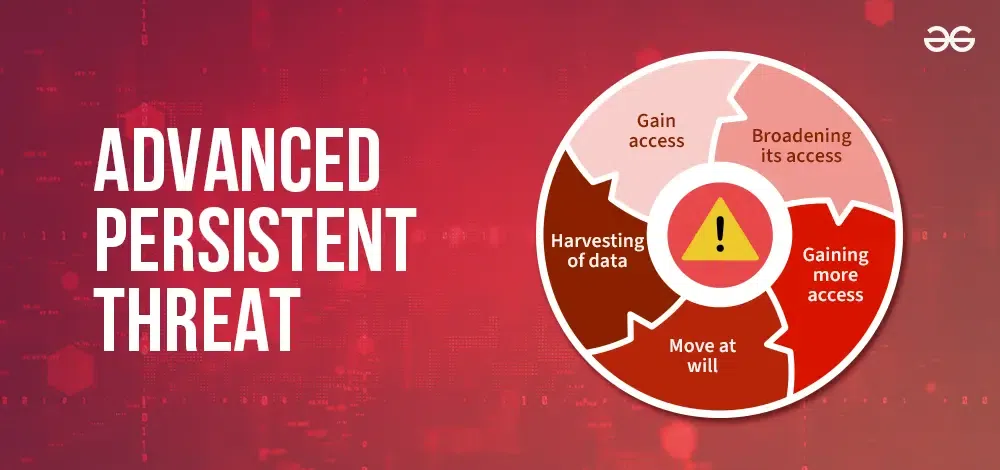
APTs are sophisticated, long-term attacks often carried out by organized criminal groups or nation-states. These attackers infiltrate networks, stay hidden for months, and slowly steal sensitive data or intellectual property.
Why it’s dangerous: APTs target critical infrastructure and high-value information, often causing significant damage before detection.
How to protect your business:
- Use advanced network monitoring and threat intelligence.
- Segment networks and restrict high-value data access.
- Foster a culture of vigilance and rapid response.
Final Thoughts
Cybersecurity is not just an IT issue—it’s a business imperative. The threats listed above are not meant to scare, but to empower and inform. No matter your company’s size or industry, you have the power to make smarter choices, invest in the right technology, and build a culture of security from the ground up.
Start by educating your team, updating your defenses, and creating a plan for when—not if—a cyber incident happens. With knowledge and vigilance, you can protect your business, your customers, and your reputation in the digital age.
Remember: Cybersecurity is a journey, not a destination. Stay curious, stay alert, and never stop learning.
A WordPress Commenter
July 20, 2026Hi, this is a comment.
To get started with moderating, editing, and deleting comments, please visit the Comments screen in the dashboard.
Commenter avatars come from Gravatar.