

Network Security Best Practices for Small Businesses
Network Security Best Practices for Small Businesses

In an era where even the smallest companies depend on digital tools and the internet, network security isn’t just a concern for big corporations. Small businesses are increasingly in the crosshairs of cybercriminals—often because they lack the resources or awareness to defend themselves. But here’s the good news: with the right knowledge and habits, you can turn your small business into a much harder target for hackers, data thieves, and scammers.
This guide walks you through essential network security best practices for small businesses—explained in plain English, with real-world examples and actionable tips you can use right away.
Why Network Security Matters for Small Businesses
You might think your business is “too small to be noticed,” but cybercriminals don’t discriminate. In fact, smaller companies are often targeted precisely because they’re seen as easier prey. According to recent studies, over 40% of cyberattacks are aimed at small businesses, and the consequences can be devastating—ranging from financial losses and legal trouble to reputation damage and business closure.
Key risks for small businesses:
- Ransomware attacks that lock up vital data and demand payment
- Phishing scams targeting employees or customers
- Data breaches exposing sensitive customer information
- Business email compromise (BEC) leading to fraudulent payments
- Loss of intellectual property or trade secrets
Bottom line: Network security is business security.
1. Understand Your Network and Its Weak Points
Before you can secure your business, you need to know what you’re protecting. Start with a basic inventory and mapping of your network.
Action steps:
- List all devices that connect to your network (PCs, laptops, printers, smartphones, IoT devices, etc.).
- Identify your routers, switches, firewalls, and any cloud services in use.
- Note which devices handle sensitive data (finance, customer info, etc.)—these require extra protection.
Tip:
Simple diagrams or spreadsheets are fine for tracking your network. The key is awareness.
2. Secure Your Wi-Fi Network
Many small businesses use Wi-Fi for staff, customers, or both—but an unsecured Wi-Fi network is an open door for hackers.
Best practices:
- Change the default admin username and password on your router.
- Use strong encryption (WPA3 if possible, WPA2 at a minimum).
- Set a complex Wi-Fi password and change it regularly.
- Hide your network SSID (Service Set Identifier) from public view if you don’t need customers connecting.
- Set up a separate guest Wi-Fi network for visitors, isolated from your main business network.
Pro tip:
Disable WPS (Wi-Fi Protected Setup), which can be exploited by attackers.
3. Implement Strong Password Policies
Weak passwords are one of the most common ways cybercriminals break into business networks. All it takes is one “password123” and your whole system could be compromised.
What to do:
- Require complex passwords (at least 12 characters, mixing letters, numbers, and symbols).
- Use a password manager to generate and store unique passwords for all accounts.
- Require employees to change passwords regularly (every 60–90 days).
- Never reuse passwords across different accounts or systems.
Tip for owners:
Don’t forget to update passwords for network devices, cloud accounts, and remote desktop tools—not just user logins.
4. Keep All Software Up to Date
Outdated software—whether it’s your operating system, office apps, or even your website plugins—can be full of holes that hackers love to exploit.
How to stay safe:
- Enable automatic updates wherever possible.
- Regularly check for updates to routers, firewalls, and IoT devices.
- Remove unused software and plugins to reduce your “attack surface.”
Remember:
Updates aren’t just about new features—they often patch security vulnerabilities.
5. Use Firewalls to Guard Your Network
A firewall acts as a barrier between your internal network and the outside world, controlling what traffic is allowed in and out.
For small businesses:
- Most modern routers come with built-in firewalls—ensure it’s enabled.
- For extra protection, consider a dedicated hardware firewall or reputable software firewall on your devices.
- Review and update firewall rules to restrict unnecessary traffic.
Advanced tip:
Segment your network (for example, keep payment systems on a separate VLAN) so a compromise in one area doesn’t expose everything.
6. Set Up Antivirus and Anti-Malware Protection
Malware is a catch-all term for harmful software like viruses, ransomware, and spyware. Even one infected device can wreak havoc on your business.
What you need:
- Install reputable antivirus/anti-malware software on every device.
- Set up automatic scans and real-time protection.
- Regularly update virus definitions.
Pro tip:
Don’t rely only on the “default” antivirus—evaluate reputable options for your business needs.
7. Regular Backups: Your Safety Net
No security is foolproof. If you’re hit by ransomware or suffer hardware failure, backups can mean the difference between a minor hiccup and a total disaster.
Best practices:
- Back up vital data at least daily.
- Store backups offsite or in secure cloud storage.
- Test your backups regularly to ensure they actually work.
- Keep at least one backup copy offline—away from the network.
8. Educate Your Employees
Your team is your first—and sometimes last—line of defense. Most cyberattacks, especially phishing, succeed because of human error.
How to train staff:
- Teach them to recognize suspicious emails, links, and attachments.
- Encourage them to report anything unusual ASAP.
- Set clear policies for handling sensitive data and passwords.
- Run regular cybersecurity training sessions and test employees with simulated phishing attacks.
Tip:
Make security part of your company culture, not just a box to check.
9. Control Access and User Permissions
Not every employee needs access to everything. Limiting permissions reduces risk if an account is compromised.
Action steps:
- Use the principle of least privilege: give employees only the access they truly need.
- Remove access for former employees immediately.
- Require separate accounts for each staff member—never share logins.
Bonus:
Set up multi-factor authentication (MFA) for sensitive systems and remote access whenever possible.
10. Monitor and Log Network Activity
You can’t respond to threats you don’t see. Monitoring helps you spot suspicious activity before it becomes a crisis.
How to do it:
- Enable logging on your firewall, router, and critical systems.
- Consider a network monitoring tool or SIEM (Security Information and Event Management) solution—even basic, free tools can help.
- Regularly review logs for signs of unauthorized access, failed login attempts, and unexpected changes.
11. Secure Remote Access
Remote work is here to stay, but opening your network to remote employees creates new risks.
Best practices:
- Require VPN (Virtual Private Network) for all remote connections.
- Use MFA for all remote logins.
- Limit remote access to only the systems and data employees need.
- Regularly audit remote access logs and settings.
12. Protect Your Business Email
Email remains the #1 entry point for cyberattacks. Business Email Compromise (BEC) and phishing scams can cost companies thousands—or even millions.
How to reduce risk:
- Use email filtering and anti-phishing tools.
- Train staff to verify unusual requests (especially those involving payments or sensitive info).
- Set up SPF, DKIM, and DMARC records to help prevent email spoofing.
- Require approval for financial transfers or sensitive changes.
13. Manage and Secure Mobile Devices
Employees may use smartphones and tablets for business—these need protection too.
Tips:
- Require screen locks and strong passwords or biometrics.
- Enable remote wipe in case a device is lost or stolen.
- Update mobile operating systems and apps regularly.
- Use mobile device management (MDM) solutions if possible.
14. Plan for Incident Response
Even with the best defenses, incidents can happen. Having a plan means you can respond quickly and minimize damage.
What your plan should cover:
- Who to contact (internally and externally) in case of a breach
- Steps for isolating affected systems
- How to communicate with customers, partners, and authorities
- Procedures for restoring data and operations from backups
Tip:
Practice your plan annually—just like a fire drill.
15. Stay Up-to-Date on Threats
Cybersecurity is always changing. Regularly educate yourself and your team on new threats and best practices.
How to keep up:
- Subscribe to security newsletters (like KrebsOnSecurity or SANS NewsBites).
- Follow your software and hardware vendors for security alerts.
- Join industry groups or forums to discuss emerging risks.
Quick Checklist for Small Business Network Security
- Inventory and map your network
- Secure Wi-Fi with strong encryption and passwords
- Use complex, unique passwords and a password manager
- Keep all software and devices updated
- Enable firewalls on routers and devices
- Install and update antivirus/anti-malware software
- Back up critical data regularly and test restores
- Train employees on cybersecurity basics
- Control access and review permissions regularly
- Monitor and log network activity
- Secure remote access with VPN and MFA
- Implement email security and anti-phishing tools
- Protect and manage mobile devices
- Develop and test an incident response plan
- Stay informed about new threats
The Human Element: Security Is a Team Effort
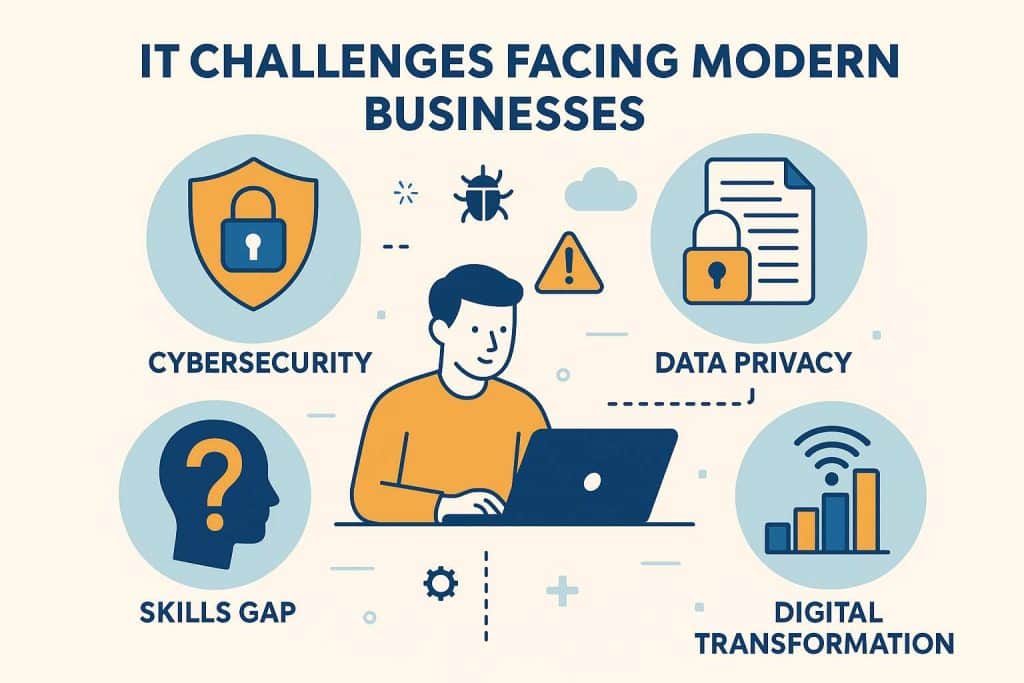
Technology is crucial, but your people are just as important. Encourage open communication about security, reward employees who spot threats, and make everyone feel responsible for protecting the business.
Final Thoughts: Build Security Into Your Business DNA
Small business owners juggle a lot, but network security can’t be left to chance. By following these best practices, you protect not just your data and systems, but your reputation and your future.
Remember, cybersecurity isn’t a one-time project—it’s an ongoing commitment. Start small, focus on the basics, and build from there. Every step you take makes your business a safer place for your team and your customers.
You don’t need a huge IT budget to be secure. You just need the right knowledge, the right habits, and the will to act.