
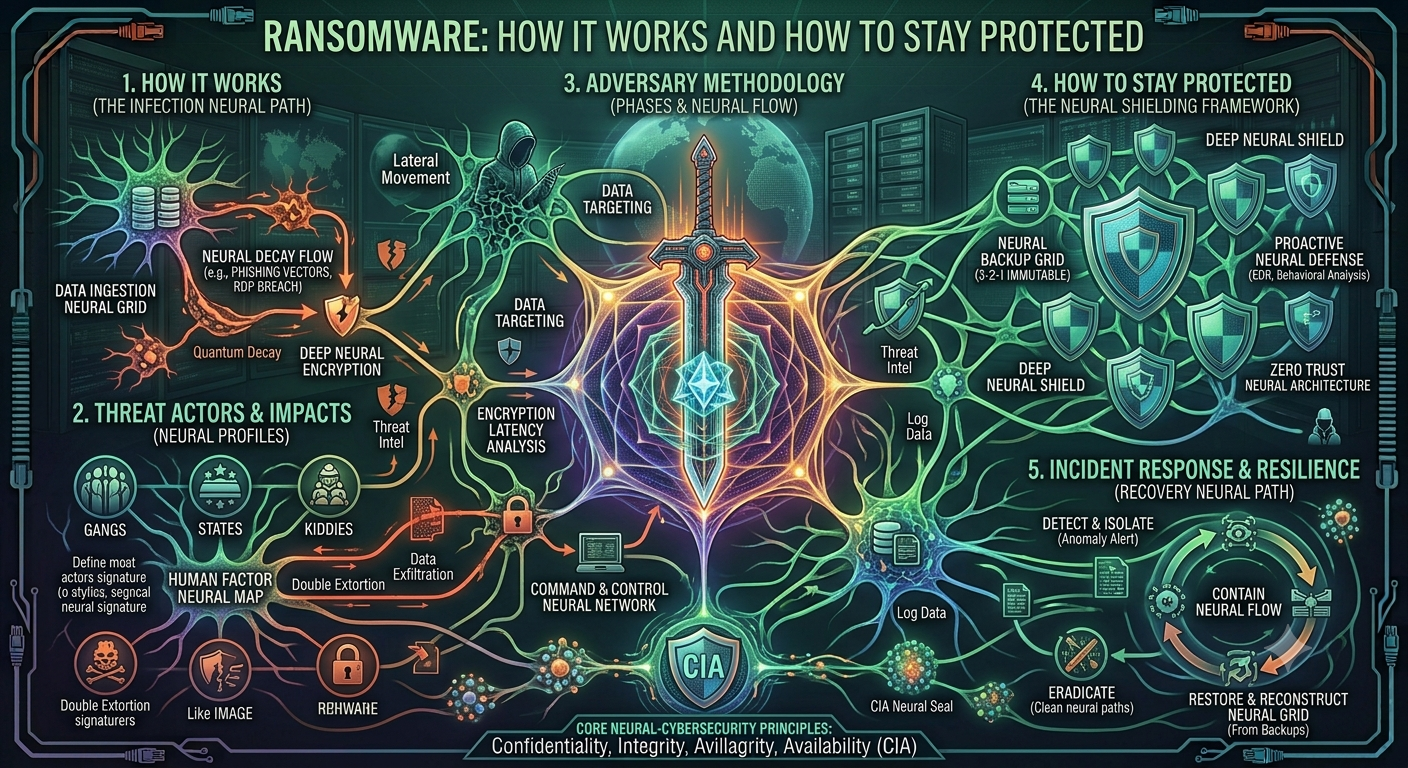
Ransomware: How It Works and How to Stay Protected:
Ransomware: How It Works and How to Stay Protected:
Ransomware is a type of malware that can lock a computer or encrypt its files and then demand money from the victim. In simple words, the attacker takes control of your data and asks you to pay before you can get it back. It can happen to an ordinary computer user, a school, a hospital, a company, or even a large government organization.
What Exactly Is Ransomware?
The name itself gives us a good idea of what ransomware does. “Ransom” means money demanded for releasing someone or something, while “ware” comes from software. So, ransomware is basically malicious software used to demand a ransom.
Most ransomware attacks work by encrypting files. Encryption changes the information in a file into a form that the normal user cannot understand or open. Your photos, Word documents, videos, or other files may still be sitting on your computer, but you cannot access them normally.
After the files are encrypted, the attacker usually leaves a message explaining what has happened. The message may tell the victim to pay a certain amount of money in cryptocurrency. Sometimes the criminals also threaten to publish the stolen information if the victim refuses to pay.
How Does Ransomware Get Into a Computer?
There isn’t just one way ransomware can enter a system. One of the most common methods is through phishing emails.
For example, imagine receiving an email that looks like it came from a bank, delivery company, teacher, or even your boss. The email may say that you need to open an attachment or click a link urgently. If the attachment contains malware or the link leads to a harmful website, ransomware could be installed on the computer.
Another common problem is downloading software from unsafe websites. People sometimes download cracked programs, games, movies, or other files from unknown sources. The file may look normal, but it could contain malware hidden inside it.
Ransomware can also take advantage of old software. If a computer has not been updated for a long time, attackers may use known security weaknesses to get into the system. Weak passwords can cause problems too, especially when attackers are able to guess or steal them.
What Happens After an Attack?
Once ransomware gets onto a computer, it may start looking for files that are useful to the victim. It can also try to spread across a network and infect other connected computers.
The ransomware then starts encrypting files. This can happen surprisingly quickly. A user might suddenly notice that documents, pictures, or other files will no longer open.
After that, a ransom note usually appears on the screen. The attackers explain that the files have been locked and give instructions for making a payment. They may also set a deadline and threaten the victim with additional consequences if the money is not paid.
This is a frightening situation, especially when the files are important. However, paying the ransom does not guarantee that the files will actually be recovered. The attackers are criminals, so there is no real reason to trust their promises.
Why Is Ransomware Such a Big Problem?
Ransomware can cause serious problems for both individuals and organizations.
For an individual, losing personal photos, university assignments, or important documents can be extremely upsetting. Imagine having years of family pictures stored on a computer and suddenly being unable to open any of them.
For businesses, the damage can be much bigger. A company may lose access to customer information, financial records, databases, and important work files. Employees might not be able to do their jobs, and the company could lose money while trying to recover its systems.
Hospitals and other important organizations can face even more serious problems because they depend heavily on computer systems. If their systems stop working, important services can be delayed.
This is why ransomware is not just a small computer problem. A major attack can affect an entire organization and the people who depend on it.
How Can We Protect Ourselves?
There is no single method that can completely stop every ransomware attack. Still, there are some simple things we can do to make our computers much safer.
Keep Your Software Updated:
One of the easiest things to do is keep your operating system and applications updated. Updates are not only about adding new features. They often fix security problems that attackers could use to enter a computer.
Be Careful With Emails:
Never click on every link or attachment you receive without checking it first. If an email looks strange or creates unnecessary urgency, take a moment to think before clicking.
Even if the sender’s name looks familiar, the account could have been hacked or the address could have been copied.
Keep Backups:
Backups are extremely important. Important documents and personal files should be copied somewhere safe. If ransomware locks the files on your computer, a clean backup can help you recover them.
It is also important not to keep the only backup connected to the computer all the time. If ransomware can access the backup, it may encrypt that as well.
Use Antivirus and Security Tools
A good antivirus or security program can detect and block many types of malware. It is not a perfect solution, but it provides another layer of protection.
A firewall can also help by controlling certain unwanted network connections.
Use Strong Passwords:
Using the same simple password everywhere is a bad idea. If an attacker gets that password, several of your accounts could be at risk.
It is better to use strong and different passwords for important accounts. Multi-factor authentication, commonly called MFA, is also useful because it adds another security step.
Don’t Download Software From Random Websites:
Free software can sometimes come with a hidden cost. Downloading cracked or pirated programs from unknown websites is risky because the files may contain malware.
It is much safer to download software from official or trusted sources.
What If Your Computer Gets Infected?
If you think your computer has been infected with ransomware, don’t panic. The first thing you should consider doing is disconnecting the computer from the internet or network. This can help prevent the ransomware from spreading to other devices.
If you are using a computer at school, college, or work, inform the IT or security team immediately. They may have procedures for handling such attacks.
If you have a clean backup, you may be able to restore your files without paying the attackers. You should also consider reporting a serious attack to the appropriate authorities.
Most importantly, don’t assume that paying the ransom will solve everything. There is no guarantee that the criminals will give you working access to your files after receiving the money.
Conclusion:
Ransomware is a serious cybersecurity threat, but understanding how it works can help us avoid becoming victims. It can enter computers through phishing emails, unsafe downloads, outdated software, weak passwords, and other security weaknesses.
The best protection is not one expensive security program. It is a combination of good habits. Keeping software updated, using strong passwords, enabling MFA, avoiding suspicious links, using security software, and regularly backing up important files can make a big difference.
In the end, cybersecurity is everyone’s responsibility. We don’t need to be computer experts to stay safer online. Sometimes, simply stopping for a few seconds before clicking a suspicious link can prevent a major problem. Being careful today can save us from losing valuable data tomorrow.